| WS_FTP Pro Assistance Center | |
| Getting Started: Connections | |
This guide explains how to get started using WS_FTP Pro, and what it takes to make your first connection.
To begin using WS_FTP Pro, you must first let the program know some information about the site you want to connect to. This is done by creating a Site Profile.
Site profiles store things such as the address of the FTP site, and the username and password you use to connect.
The illustration below briefly explains how you create a site profile using the Connection Dialog.
Click BEGIN to start or replay the illustration.
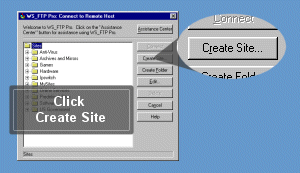
To view step-by-step directions on how to connec to an FTP site with a new Site Profile, click the green Go button below.

|

|

|